
Comment trouver le bon masque PPC depuis chez soi grâce aux outils de sélection de masques
Choisir le bon masque CPAP est l'une des étapes les plus importantes pour un traitement efficace de l'apnée du sommeil. Le confort, l'ajustement et le style du masque peuvent tous avoir un impact sur la qualité de votre sommeil et l'efficacité de votre traitement. Pour faciliter le processus, plusieurs fabricants de CPAP ont développé des outils de sélection de masques en ligne qui vous permettent d'explorer les options de masques depuis le confort de votre domicile.
Vous trouverez ci-dessous trois outils de sélection de masques fiables de ResMed, Philips Respironics et Fisher & Paykel. Chaque outil pose quelques questions simples sur vos habitudes de sommeil et peut vous guider à travers des mesures ou une rapide analyse photo pour vous aider à recommander des masques qui pourraient convenir à vos traits faciaux et à vos besoins thérapeutiques.
Ces outils sont conçus pour faciliter l'achat de masques en réduisant les options et en fournissant des conseils de taille avant que vous ne fassiez un achat.

Outil de sélection de masques ResMed
L'outil de sélection de masques ResMed est un outil d'ajustement en ligne conçu pour aider à identifier les masques CPAP ResMed appropriés en fonction de votre style de sommeil et de vos mesures faciales.
Pour commencer, ouvrez l'outil de sélection de masques ResMed et cliquez sur Démarrer lorsque la page se charge.
Vous devrez d’abord entrer votre prénom, nom de famille et date de naissance.
Veuillez entrer votre prénom et votre nom de famille exactement tels qu’ils apparaissent sur votre compte CPAP Outlet. Les résultats de cet outil nous sont envoyés directement et non à vous. Une fois que vous avez rempli le sélecteur de masques, veuillez nous envoyer un court courriel afin que nous puissions localiser rapidement vos résultats et examiner les recommandations avec vous.
Le sélecteur de masques vous guidera ensuite à travers un court questionnaire sur vos habitudes de sommeil et vos préférences respiratoires. Ces questions permettent de vous trouver les styles de masque qui pourraient le mieux convenir à votre thérapie.
Vous devrez également effectuer trois mesures faciales simples, notamment :
-
La hauteur du nez
-
La largeur du nez
-
La profondeur du nez
L’outil propose de courtes vidéos d’instruction pour vous guider à travers chaque étape de mesure.
Avant de commencer, il est utile d’avoir les articles suivants à portée de main :
-
Un miroir
-
Une règle
-
Une pièce de vingt-cinq cents ou un autre objet d’environ un pouce
Une fois terminé, les résultats sont envoyés en toute sécurité à CPAP Outlet. Nous examinons les recommandations et vous envoyons par courriel les options de masque ResMed suggérées pour vos mesures.
Ce qu’il faut savoir avant d’utiliser l’outil
-
Le sélecteur de masques ne fournit des recommandations que pour les masques ResMed.
-
Les images faciales ne sont pas stockées ni sauvegardées pendant le processus
-
Les images sont utilisées uniquement pour calculer les mesures
-
Seules les données de mesure et les recommandations de masque sont partagées avec CPAP Outlet
-
L’outil est destiné aux patients âgés de 13 ans ou plus

Sélecteur de masque Philips 2D
Le Philips Mask Selector 2D est un autre outil en ligne simple conçu pour aider à affiner les options de masques CPAP sans avoir à deviner.
Le processus ne prend que quelques minutes et combine un court questionnaire avec une seule photo pour suggérer des styles de masques Philips Respironics compatibles et des conseils de dimensionnement.
Comment ça marche
-
Répondez à quelques questions rapides sur vos habitudes de sommeil et vos préférences en matière de traitement.
-
Prenez une seule photo avec votre téléphone ou la caméra de votre ordinateur.
-
Recevez des suggestions de styles et de tailles de masques Philips Respironics.
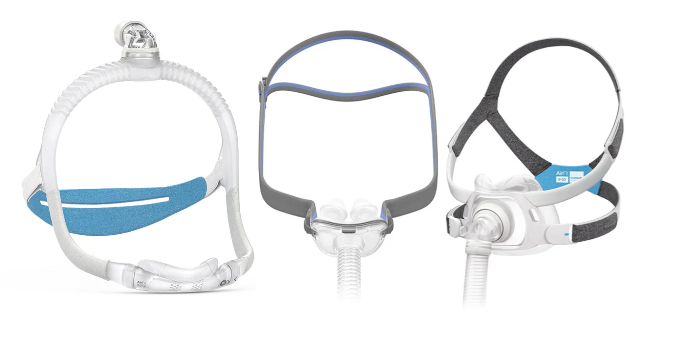
L'outil permet d'identifiersi un masque à coussins nasaux, un masque nasal ou un masque facial intégralpeut convenir en fonction de vos traits du visage et de vos préférences.
Conseils pour de meilleurs résultats
-
Tenez l’appareil photo au niveau de votre visage.
-
Assurez-vous que votre visage est bien éclairé.
-
Placez l'appareil photo à environ 20 à 25 cm de distance
-
Retirez les lunettes ou tout ce qui couvre votre visage.
Une fois le processus terminé, vos suggestions de masques et des conseils sur la taille vous sont fournis directement.

Application myMask de Fisher & Paykel
L’application myMask™ de Fisher & Paykel est une application mobile conçue pour guider les patients, étape par étape, dans la sélection, le dimensionnement et l’ajustement d’un masque CPAP Fisher & Paykel.
L’application offre un moyen facile d’explorer les options de masques et d’obtenir des conseils de dimensionnement à l’aide de votre téléphone intelligent.
Fonctionnement
1. Téléchargez l’application
Scannez le code QR ou visitez le site
fphcare.com/mymask

L’application vous guidera à travers le processus de configuration.
2. Sélectionnez
Répondez à quelques questions sur votre style de sommeil, vos habitudes respiratoires et vos besoins liés à votre mode de vie. L’application vous recommandera des options de masques Fisher & Paykel en fonction de vos réponses.
3. Dimensions
À l’aide de l’appareil photo de votre téléphone, l’application scanne votre visage pour déterminer la taille de masque recommandée. Il suffit de suivre les instructions à l’écran.
4. Demandez votre masque
Une fois que vous avez reçu le type et la taille de masque recommandés, vous pouvez nous contacter pour obtenir de l’aide afin de passer une commande, ou vous pouvez acheter le masque directement sur notre site Web si vous préférez commander en ligne.
De nombreux masques Fisher & Paykel comprennent également des guides des tailles imprimables afin que vous puissiez vérifier la taille avant de finaliser votre achat.
5. Aide
Après avoir reçu votre masque, l’application myMask continue de fournir une aide utile, notamment :
-
Instructions d’ajustement étape par étape
-
Conseils pour l’ajustement du masque
-
Vidéos de nettoyage
-
Ressources de dépannage
L’application scanne votre visage pour vous recommander un masque et une taille de masque CPAP Fisher & Paykel appropriés, ce qui simplifie le processus de sélection de masque.

Choisir le bon masque CPAP
Trouver le bon masque CPAP peut prendre du temps, mais ces outils du fabricant sont conçus pour faciliter le processus. En combinant les questions sur les préférences de sommeil, les mesures du visage et les conseils de taille, ils aident à réduire les options de masque avant l’achat.
Que vous préfériez ResMed, Philips Respironics ou Fisher & Paykel, ces outils vous permettent d’explorer les options de masque et les recommandations de taille dans le confort de votre maison.
Si vous avez des questions sur les recommandations de masques ou si vous souhaitez de l’aide pour choisir entre les options, notre équipe est toujours disponible pour vous guider tout au long du processus.